RJ11 vs RJ45
similar shape, different jobsRJ11 and RJ45 look related because both use a clear modular shell and spring latch. The important difference is inside: RJ11 is narrower and commonly carries a telephone pair, while networking RJ45/8P8C terminates four pairs for Ethernet.
Identify the body width, contact count and service together. Never choose a connector just because it appears to fit the socket.
Read the connectors side by side
Use the supplied plate to identify the connector, then check the four details below before selecting, terminating or mating it.
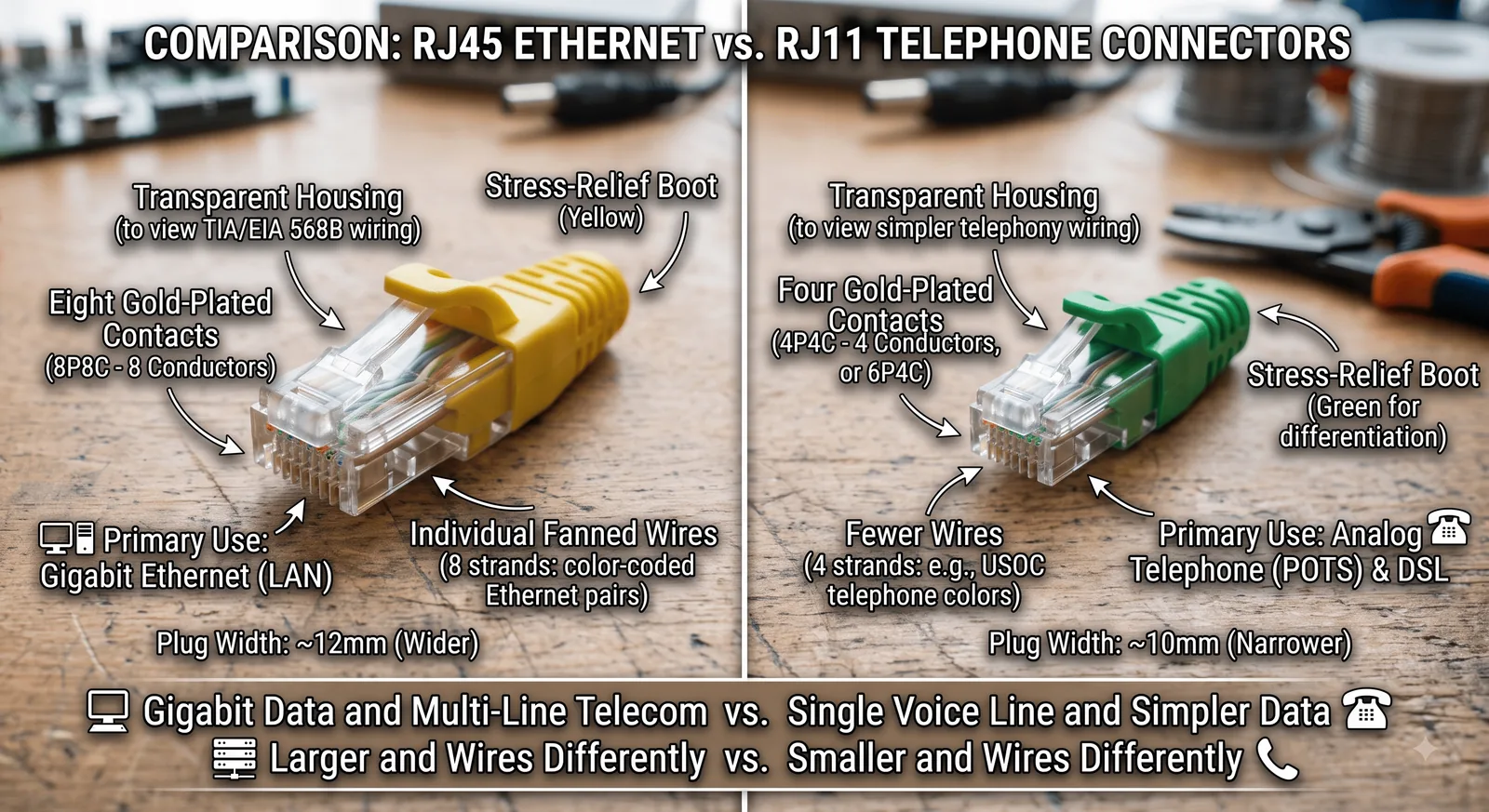
Four details to check before connection
The six-position telephone plug is visibly narrower than the eight-position Ethernet plug.
RJ11-style leads often populate only the centre contacts; 8P8C uses all eight.
Telephone leads may be flat; Ethernet cable contains four colour-coded twisted pairs.
PHONE, LINE or DSL is not LAN. Follow the device label and documentation.
Where it is used
The connector body is only one part of a link. Cable type, signal, impedance or optical polish must match the equipment on both ends.
Separates a telephone lead from an Ethernet patch cable before moving equipment.
DSL may use RJ11 on the provider side and RJ45 Ethernet on the local-network side.
Prevents wasted time testing the wrong cable family or wall outlet.
In cybersecurity & operations
The two ports can lead to entirely different systems. Correct identification avoids equipment damage, exposure and false assumptions.
A small telephone plug can enter some 8P8C jacks and bend their outer contacts.
A wall plate label can be stale. Confirm the termination at the patch field or demarcation.
Telephone and Ethernet copper can both be tapped when the pathway is accessible.
Use a tester designed for the service and connector pinout being diagnosed.