Switch
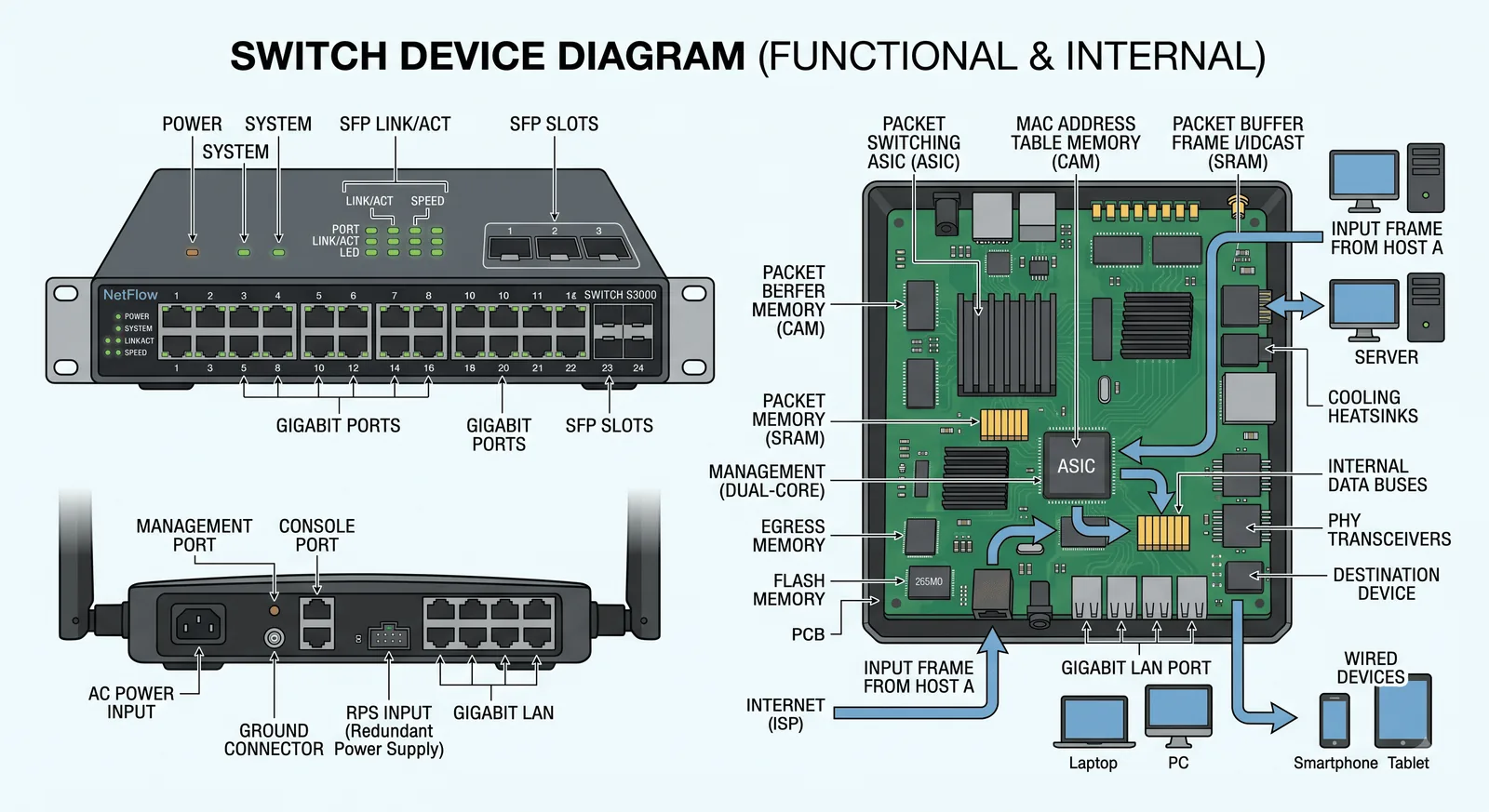
the LAN switchA switch is the box that forwards frames inside a single network. It reads the destination MAC address, looks it up in its MAC table, and sends the frame out only the right port — the wiring hub of a modern LAN.
A switch connects many devices on one network and sends each frame only to the port that needs it.
How it works
to one port only
A frame from Laptop A addressed to Laptop B (bb:bb:bb) comes in on port 1. The switch finds that MAC on port 3 and sends the frame out only that port — no other device sees it.
What a switch does, step by step
A frame arrives; the switch reads its destination MAC address.
It checks its MAC table for that address. If it isn’t there yet, it floods the frame out every port.
It records the source MAC against the port the frame came in on, filling the table over time.
It sends the frame out only the matching port — full-duplex, so no collisions.
In cybersecurity
A switch decides who can talk to whom on the LAN, so it’s a control point — and a target for attacks that fool its table.
Overflow the table and a switch fails open, flooding traffic like a hub — port security stops it.
Split the LAN into separate broadcast domains so groups can’t reach each other.
Limit how many MACs a port accepts and shut it on violation.
Make a device authenticate before its port carries any traffic.
Block rogue DHCP servers and ARP spoofing at the switch.
A SPAN port copies traffic to an IDS so it can be watched.